
Camera Clamp
Supports GASP High-speed Cameras, Entry Level USB 3.0 Cameras, up to 15 kg on beams, trusses, or flat surfaces.
Durable aluminium construction with flexible mounting threads ensures stable, versatile positioning for any rig. Read more
£50.00 (£60.00 inc VAT)
Read description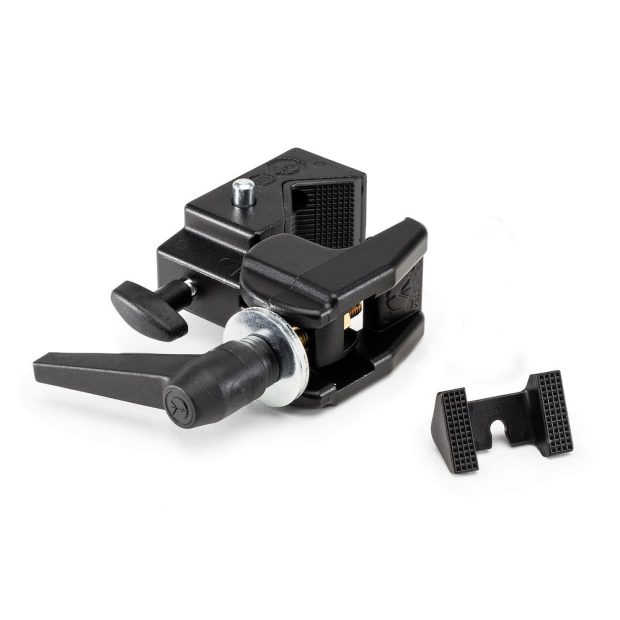

Product Description
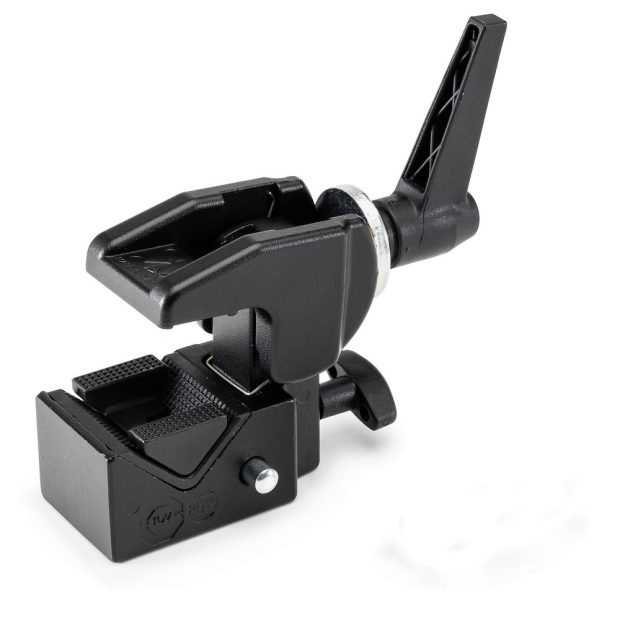
Enhance your golf simulator or studio rig with a reliable, professional‑grade mounting solution. Crafted from high‑quality aluminium and steel, this sturdy clamp supports up to 15 kg, giving you the versatility and strength needed for mounting cameras, lights, or sensors in demanding environments.
Key features for studio & simulator use:
-
Heavy‑duty load capacity: up to 15 kg (33 lbs) means you can confidently mount a GASP High-speed Camera, Entry Level USB 3.0 Camera.
-
Clamps onto round or square surfaces (13 mm to 55 mm diameter) and also works on flat surfaces via the included wedge. Perfect for beams, poles, trusses, or treadmill frames.
-
Includes a 16 mm hex socket plus standard ¼″ and M5 threads, giving flexible mounting options for ball heads, mounting arms, sensor pods, or other custom hardware.
-
Compact and lightweight (≈ 0.43 kg), so it’s easy to integrate into your rig without adding bulk or making repositioning difficult.
-
TÜV safety certified — designed with an ergonomic grip, secure rubber jaws, and a safety lock to keep your gear stable even in high‑activity environments.
Why it’s ideal for a golf simulator or studio:
Whether you’re mounting high-speed GASP cameras to capture swing motion, positioning an entry-level USB 3.0 camera for tracking, or setting up a DSLR or broadcast camera in a studio rig, the 035 Super Clamp delivers reliability and flexibility. Its ability to clamp to structural elements of your simulator frame (e.g., truss, upright posts) or studio ceiling beams ensures you aren’t limited to standard tripods. And because it accepts a broad range of accessories, you can adapt it for different camera types, sensor arrays, or lighting configurations as your setup evolves.
Installation & usage tips:
-
Choose a secure structural element (beam, pole, truss leg) within the clamp’s range (13–55 mm). Clean the surface to maximize grip.
-
Insert the rubber wedge if mounting onto a flat surface, then position the clamp jaw and tighten firmly until the jaws contact the surface securely.
-
Attach your camera mounting accessory (ball head, magic arm, sensor mount) via the 16 mm hex socket or ¼″‑20/M5 threads.
-
Always consider using a safety cable or strap from the camera body to a fixed point. While the clamp is rated for 15 kg, any dynamic forces (e.g., vibrations from simulator impact) merit an extra safety loop.
-
If mounting overhead or on horizontal beams, verify that the supporting structure is properly anchored and free of excessive flex or movement, and periodically check the clamp’s tightness.
Shipping Information
Shipping Information:
Orders are processed within 1–2 business days. Standard shipping typically takes 3–7 business days. Expedited shipping options are available at checkout. Tracking details will be emailed once your order ships.
Find out more here.
Return Policy
Return Policy:
Items can be returned within 30 days of purchase with the original receipt. Products must be unused and in their original packaging. Refunds are issued to the original payment method. Shipping fees are non-refundable unless the return is due to our error.
FAQ & Support
FAQ & Support:
For common questions, visit our FAQ page for quick answers on orders, shipping, and returns.
Need help? Contact our support team via email or chat for assistance.
We’re available Monday–Friday, 9 AM–5 PM (GMT), to help with any concerns.